Quick Answer
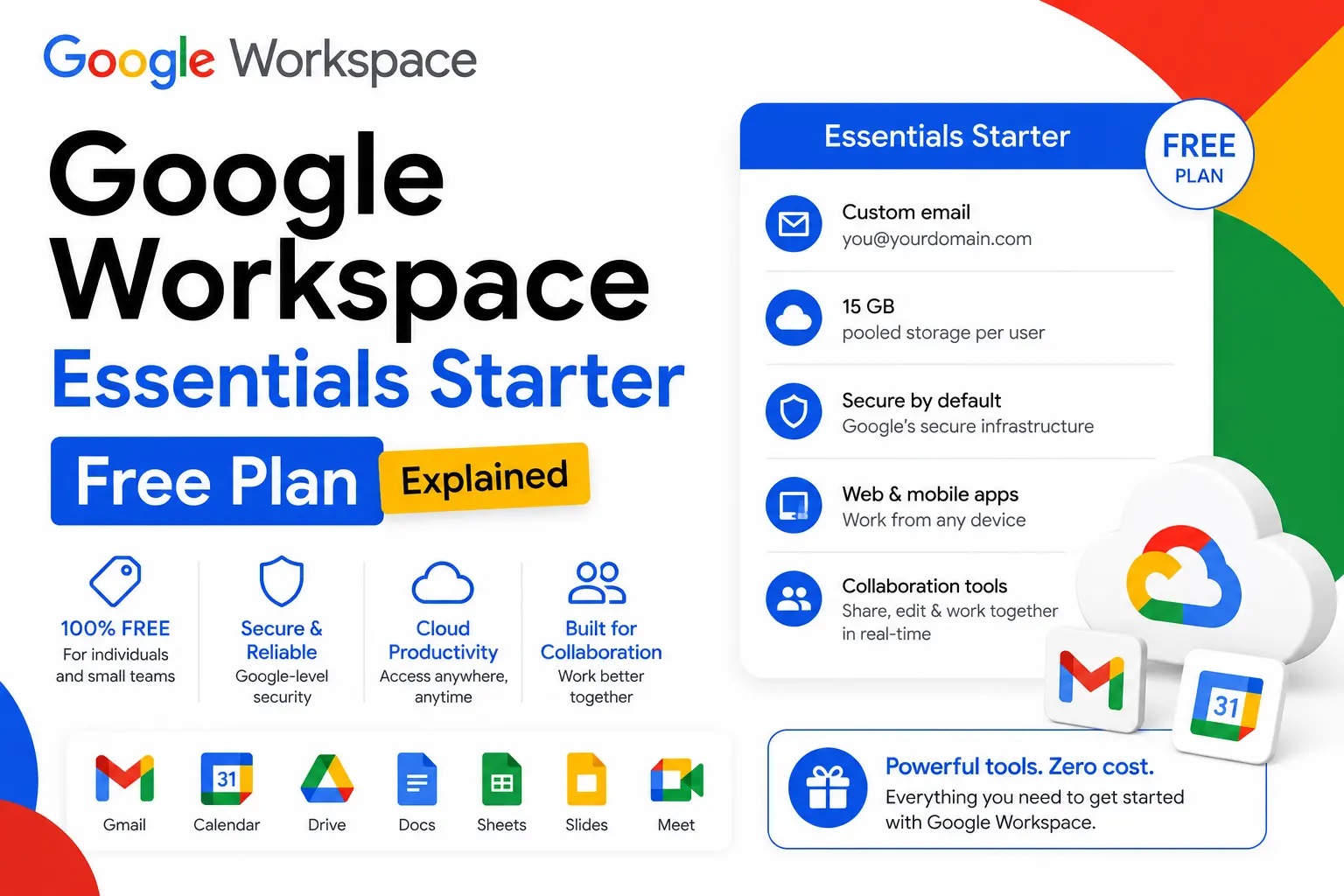
Google Workspace Essentials Starter is a genuinely free collaboration plan from Google, with no trial period and no credit card required. It supports up to 100 users per team and includes Google Drive, Meet, Chat, Calendar, Docs, Sheets, and Slides, with 15 GB of pooled storage per user. It does not include Gmail, Gemini AI, shared drives, or Meet recording. Teams sign in with their existing work email rather than a Google-hosted address.
What Is Google Workspace Essentials Starter?
Google Workspace Essentials Starter is a free cloud collaboration plan from Google. It gives teams access to Drive, Meet, Chat, Calendar, Docs, Sheets, and Slides without requiring a Gmail address or a credit card. There’s no trial period and no expiry date. It’s built for teams that already have a work email through another provider, such as Microsoft 365, and simply want Google’s collaboration tools layered on top.
What’s Included in Essentials Starter
The plan covers the core collaboration tools most small teams use day-to-day: real-time document editing in Docs, Sheets, and Slides, video meetings through Google Meet, team messaging in Google Chat, shared calendars, and cloud file storage in Drive.
Storage
Each user gets 15 GB of pooled storage, shared across Drive, Gmail attachments (if applicable), and other supported services. Because it’s pooled rather than fixed per person, a team of ten users effectively shares 150 GB across the organization, the same pooled model Google uses on its paid plans, just at a smaller per-user allowance.
Meet limits
Google Meet supports up to 100 participants per call, with sessions capped at 60 minutes. Screen sharing, live captions, and hand-raising are available, but meeting recording is not; that’s reserved for paid plans.
What’s Not Included
Essentials Starter leaves out several features that become important as teams grow or take on more sensitive work:
- Gmail. No custom business email address on your own domain.
- Gemini AI. Google’s AI assistant is not available on this plan.
- Shared drives. Files are owned individually rather than by the organization.
- Meeting recording and noise cancellation.
- Advanced security tools, including Data Loss Prevention, Vault, and eDiscovery.
- Mobile device management.
For a small team doing everyday document work and video calls, none of these gaps are dealbreakers. They start to matter once a team needs professional email, AI assistance across its apps, or compliance-grade controls.
Is Essentials Starter Really Free?
Yes. Essentials Starter is a permanent free plan, not a limited-time trial. No credit card is required at signup, and there’s no automatic conversion to a paid subscription.
How to sign up
- Go to the Google Workspace Essentials signup page.
- Enter your existing work email address (a personal Gmail or Yahoo address won’t work; it must be tied to your own business domain).
- Verify the email using the confirmation link Google sends.
- Set up your team name and invite colleagues from the same domain.
- Start using Drive, Meet, Docs, Chat, and Calendar right away.
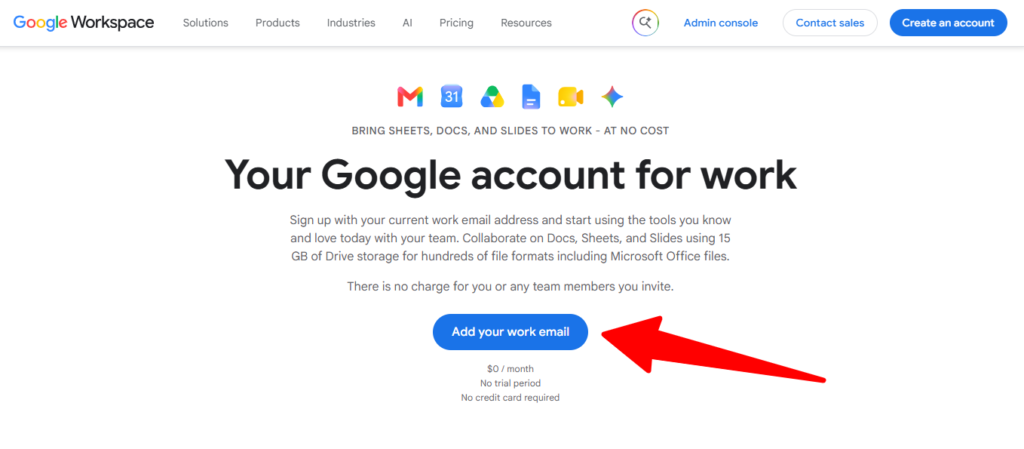
Domain verification is not required to get started, which keeps setup fast but also means admin control is more limited than on a verified, paid Workspace domain.
Does Essentials Starter Include Gmail?
No. Essentials Starter does not include Gmail or any custom business email hosting. Team members continue signing in and sending email through whatever provider they already use, such as Outlook or another email host. If a professional address like you@yourcompany.com is the goal, that requires upgrading to a paid Business plan.
Does Essentials Starter Include Gemini AI?
No. Gemini AI is not part of Essentials Starter at any level. It first becomes available on paid plans, starting with Business Starter, where it’s limited to Gmail and the standalone Gemini app.
Essentials Starter vs. Business Starter
| Feature | Essentials Starter | Business Starter |
|---|---|---|
| Price | Free | $7/user/month (official) |
| Gmail | No | Yes |
| Storage | 15 GB pooled per user | 30 GB pooled per user |
| Meet participants | Up to 100 | Up to 100 |
| Meet recording | No | No |
| Gemini AI | No | Yes (Gmail + app) |
| Shared drives | No | No |
| Max users | 100 per team | 300 |
When to upgrade to Business Starter
Consider upgrading when your team needs a professional email address on its own domain, wants Gemini AI assistance, or is ready for the added structure of a verified, admin-managed Workspace domain rather than an unverified Essentials team.
Who Should Use Essentials Starter
Essentials Starter is a strong fit if your team already has a working email system and mainly wants free collaboration tools layered on top, if you’re testing Google’s ecosystem before committing to a paid plan, or if you’re a small project team that needs shared docs and video calls without switching email providers.
It’s worth skipping if you need a custom business email address, Gemini AI in your daily workflow, more than 15 GB of pooled storage per user, or meeting recordings and shared team drives.
Common Mistakes to Avoid
- Assuming storage is a flat 15 GB for the whole team. It’s 15 GB per user, pooled, so the total scales with headcount.
- Trying to sign up with a personal Gmail address. Essentials Starter requires an existing work email on a business domain.
- Expecting Gmail or Gemini AI on this plan. Neither is included at any tier of Essentials Starter.
- Not planning for the upgrade path. Teams that grow into needing Gmail or AI tools should budget for Business Starter ahead of time rather than scrambling later.
The Bottom Line
Google Workspace Essentials Starter is a genuinely free, no-catch collaboration plan covering Docs, Sheets, Slides, Drive, Meet, Chat, and Calendar for up to 100 users. Its real limits, no Gmail, no Gemini AI, no shared drives, and 15 GB of pooled storage per user, are worth knowing before you roll it out to a growing team. When those limits start to bite, Business Starter is the direct upgrade path, available at $7/user/month officially or $3/user/month through a reseller.
FAQ
Is Google Workspace Essentials Starter really free?
Yes, it’s a permanent free plan with no trial period, no credit card, and no expiry date, though it comes with feature limits compared to paid plans.
Can I use my company’s domain for email with Essentials Starter?
No. Gmail hosting isn’t included, so you’ll continue using your existing email provider. Sign-in uses your existing work email rather than a Google-hosted address.
Does Google Workspace Essentials Starter include Gemini AI?
No. Gemini AI isn’t available on Essentials Starter at any level; it starts on paid plans like Business Starter.
How many users can join Essentials Starter?
Up to 100 users per team for current signups. Accounts created before June 3, 2022 were capped at 25 users under the older limit.
What happens when the 15 GB storage runs out?
New uploads may be blocked, and some shared documents can become read-only until storage is freed up or the team upgrades to a paid plan with more storage.
What’s the difference between Essentials Starter and Business Starter?
Business Starter adds Gmail, Gemini AI, and 30 GB of pooled storage per user (versus 15 GB) for $7/user/month officially, or $3/user/month through a reseller.
Do I need to verify my domain to use Essentials Starter?
No, domain verification isn’t required to sign up, though that also means admin controls are more limited than on a verified, paid Workspace domain.