Quick Answer
Yes, you can combine multiple paid Google Workspace editions within a single domain, for example, some users on Business Starter and others on Business Standard or Enterprise, but only by working with a Google sales representative or an authorized reseller. Standard self-serve signup at workspace.google.com only supports a single edition for the whole organization. You cannot combine a no-cost edition, such as Essentials Starter or a nonprofit plan, with a paid edition.
What Does “License Combination” Mean in Google Workspace?
License combination refers to running more than one Google Workspace edition within a single organization, for example, giving part-time staff Business Starter while full-time employees have Business Standard, or mixing Business and Enterprise editions for different departments. This is different from simply choosing one plan for your whole organization, which is what most people encounter through Google’s standard signup flow.
Can You Mix Different Editions in One Domain?
What can be combined?
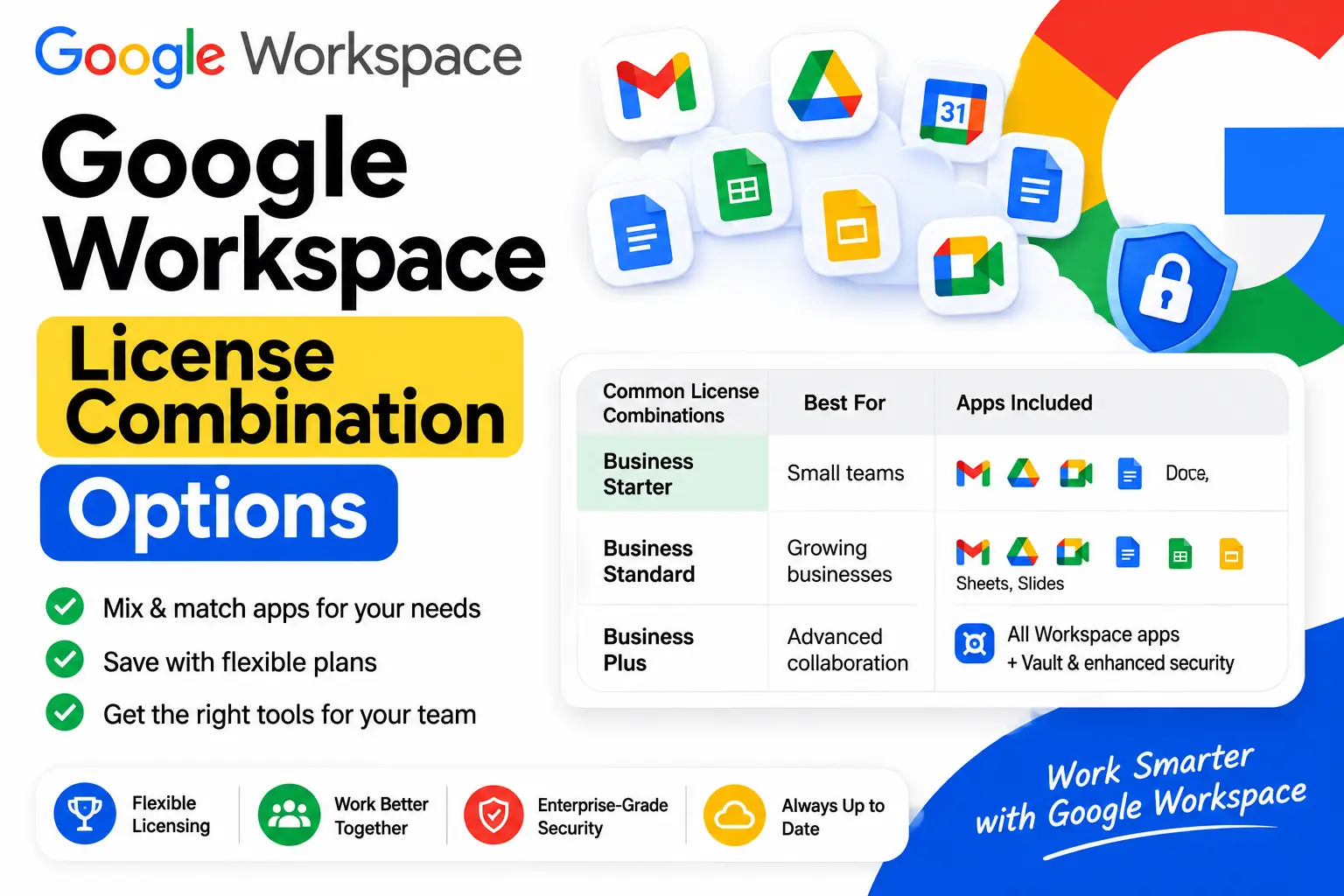
According to Google’s own admin documentation, an organization can combine different paid Google Workspace editions, such as Business Starter, Business Standard, Business Plus, and Enterprise, within the same domain. Different users or organizational units can be assigned different editions, giving administrators more granular control over which features and costs apply to which employees.
What cannot be combined?
A no-cost edition cannot be combined with a paid edition. If your organization is using a free tier, such as Google Workspace for Nonprofits, every user must be moved to a paid edition before any mixing of paid tiers becomes possible. This distinction trips up many admins searching for combination options, since the free and paid worlds don’t mix at all.
How to Set Up a License Combination
Through a Google sales representative
Combining editions requires purchasing through Google’s sales channel rather than the standard self-serve checkout. A Google sales rep can set up an account structured to support multiple editions across your organization.
Through an authorized reseller
An authorized Google Workspace reseller can also configure a combined-edition setup on your behalf, often alongside broader account management, migration support, and billing consolidation. This is one of the more practical routes for small and mid-sized organizations that want mixed licensing without going through Google’s direct enterprise sales process.
Why self-serve doesn’t offer this
Google’s standard online signup, the flow most people land on at workspace.google.com, is built around a single edition for the whole domain. This is why a lot of online discussion claims the combination isn’t possible at all; that claim is accurate for the self-serve path specifically, but incomplete once the sales or reseller channel is factored in.
Can You Mix Essentials Editions?
No. This is a separate rule from the Business and Enterprise combination described above. If your organization uses an Essentials edition, Essentials Starter, Enterprise Essentials, or Enterprise Essentials Plus, everyone in the organization must be on the same Essentials subscription. You cannot have some users on Essentials Starter while others are on Enterprise Essentials. Upgrading moves the entire organization to the new tier at once, not selected users individually.
Essentials editions also can’t be combined with standard Business or Enterprise editions at all. If your organization already has a Business or Enterprise subscription, you can’t add an Essentials edition on top of it, and vice versa.
How Billing Works With Multiple Editions
When an organization has more than one paid edition, each edition appears as its own line item on the invoice rather than being merged into a single combined charge. Monthly billing draw dates are aligned across all editions, with the first month prorated as needed to bring everything onto the same cycle. Annual renewal dates, however, stay separate for each edition, based on the date that specific edition was purchased.
Common Combination Scenarios
Mixing Starter and Standard
A frequent real-world case is a small team wanting most employees on Business Standard while a few part-time or lower-usage staff sit on the cheaper Business Starter tier. This is achievable through the sales or reseller channel, even though it isn’t offered as a self-serve option.
Mixing Business and Enterprise
Larger organizations sometimes need most staff on a standard Business tier while a smaller group, such as leadership or compliance-focused roles, needs Enterprise-level security and data controls like DLP or context-aware access. This is one of the more common reasons organizations pursue a combined-edition setup rather than upgrading everyone to Enterprise.
Archived User licenses alongside active editions
Archived User licenses, used to retain a departed employee’s data at a lower cost than an active seat, are a related but distinct mechanism. They’re generally matched to the tier the person held as an active user rather than functioning as a general-purpose combination option for current staff.
Device Management and Android Considerations
Endpoint and mobile device management capabilities, including Android device policy controls, vary by edition, with more advanced management features generally available on Enterprise-tier editions than on Business Starter or Standard. In a combined-edition setup, this means users on different tiers may have different device management policies available to them, which is worth mapping out during planning rather than discovering after rollout, since it directly affects how consistently mobile security policies can be enforced across a mixed-license organization.
Is License Combination Right for Your Organization?
Combining editions makes the most sense when your organization has clearly distinct groups of users with genuinely different needs, some requiring advanced security or storage, others needing only basic email and collaboration, and the savings from not over-provisioning everyone onto the same higher tier are meaningful at your headcount. For smaller teams with fairly uniform needs, a single edition for everyone is usually simpler to manage and may not leave meaningful savings on the table by comparison.
Common Mistakes to Avoid
- Assuming self-serve signup supports mixed editions. It doesn’t; a combination requires the sales or reseller channel.
- Trying to combine a free edition with a paid one. This isn’t possible under any circumstance; all users need to be on paid tiers first.
- Confusing Essentials edition rules with Business and Enterprise rules. Essentials editions require the entire organization on one subscription, with no per-user mixing at all.
- Not planning for separate annual renewal dates across combined editions, which can complicate budgeting if not tracked from the start.
- Overlooking device management differences between tiers when rolling out a mixed-license setup.
The Bottom Line
Combining multiple Google Workspace editions within one domain is genuinely possible, giving different users different feature sets and pricing, but it requires going through a Google sales representative or an authorized reseller rather than standard self-serve signup. No-cost editions can never be mixed with paid ones, and Essentials editions follow their own separate, stricter rule requiring the whole organization on one subscription. For organizations with clearly distinct user groups, working with a reseller to set up a combined-edition structure is often the most practical path.
FAQ
Can you combine different Google Workspace license tiers in one domain?
Yes, paid editions like Business Starter, Standard, Plus, and Enterprise can be combined for different users within the same domain, but only through a Google sales representative or an authorized reseller.
Can I mix a free Google Workspace edition with a paid one?
No. A no-cost edition, such as Essentials Starter or a nonprofit plan, cannot be combined with any paid edition under any circumstance.
Can I mix Essentials Starter and Enterprise Essentials for different users?
No. Everyone in the organization must be on the same Essentials subscription; mixing within Essentials editions isn’t supported, unlike the Business and Enterprise combination option.
Why can’t I mix editions through Google’s standard signup?
Google’s self-serve signup flow is built around a single edition for the whole domain. Combining editions requires purchasing through Google sales or an authorized reseller instead.
How does billing work when I have multiple Google Workspace editions?
Each edition appears as a separate line item, with aligned monthly billing dates but separate annual renewal dates based on when each edition was purchased.
Is an Archived User license a type of license combination?
Not exactly. It’s a separate mechanism for retaining a departed employee’s data, generally matched to their original license tier, rather than a general combination option for active staff.
Does license combination affect Android device management?
Device management capabilities vary by edition, so users on different tiers within a combined setup may have different mobile management options available, worth planning for before rollout.