Quick Answer
Free personal Gmail and Google Workspace run the same core apps, but the real difference is ownership, not features. Free Gmail belongs to the individual who created it, with 15 GB of shared storage and no admin oversight. Google Workspace runs on your own business domain, gives an admin console for managing users and security, and starts at 30 GB of pooled storage per user on Business Starter ($7/user/month). For any team beyond a single person or any business that needs a professional email address, Workspace is the practical choice.
Gmail vs Google Workspace: The Core Distinction
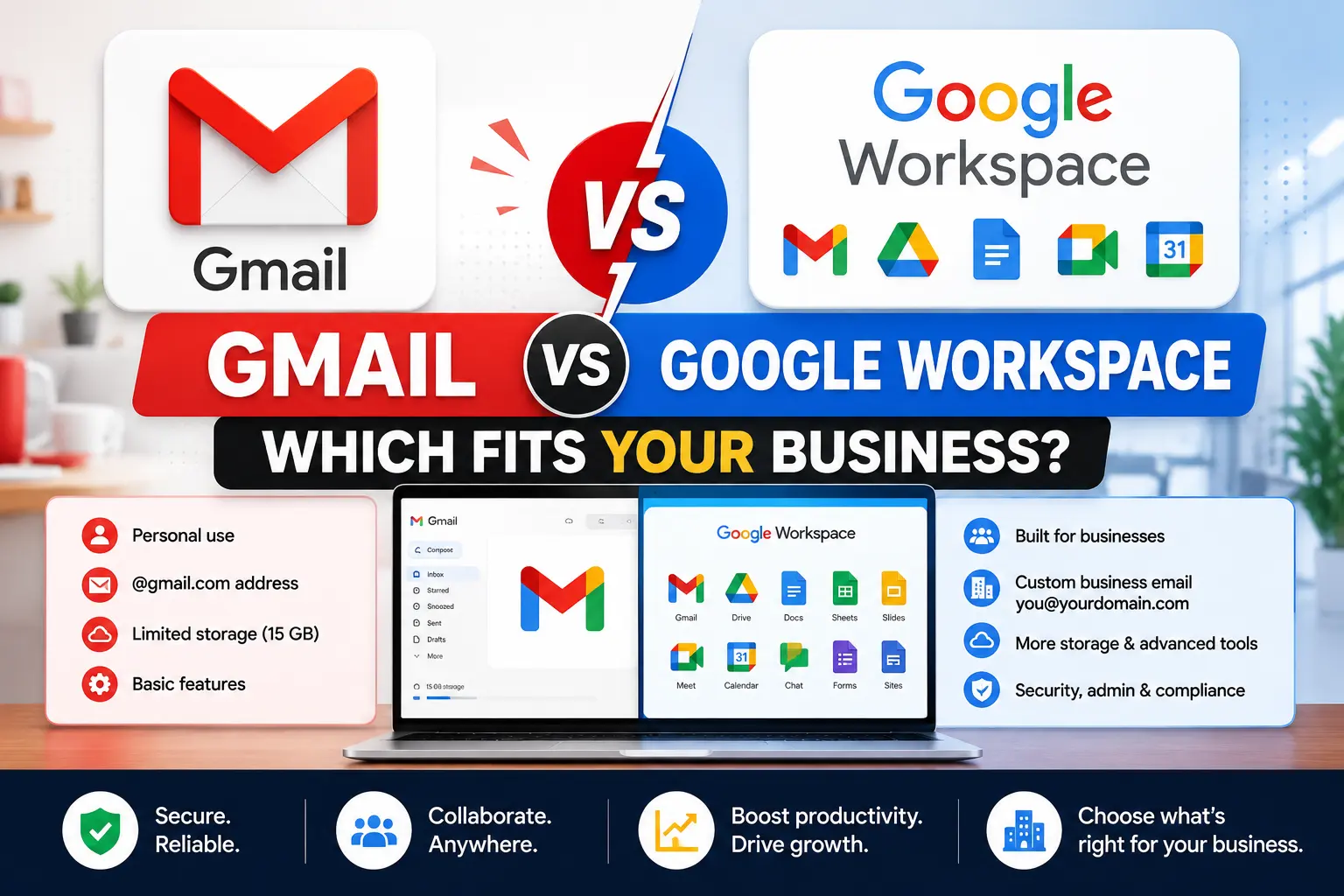
Free personal Gmail and Google Workspace run nearly identical apps day to day: Gmail, Drive, Docs, Sheets, Slides, Meet, Calendar, which is exactly why the difference is easy to underestimate. What actually separates them isn’t the interface; it’s who the account belongs to, how much storage and AI depth come included, and whether there’s any administrative layer managing it at all.
What Free Personal Gmail Includes
A free Gmail account gives one person a personal @gmail.com address, 15 GB of storage shared across Gmail, Drive, and Google Photos, and access to the same core apps under that individual account. There’s no cost, no trial period, and no expiration, making it a genuinely capable option for personal use or a very early solo project.
What it doesn’t include is any administrative layer. There’s no way to centrally manage multiple users, enforce security policy across a team, or recover a former user’s files if that individual account becomes inaccessible. It’s built for one person, not an organization.
What Google Workspace Adds
Google Workspace runs the same core apps on a business’s own domain instead of @gmail.com, with an admin console layered on top for managing users, security, and data across the whole organization.
Custom domain and professional email
Free Gmail addresses end in @gmail.com, fine for personal use but less credible for client-facing business communication. Google Workspace requires a domain you own, giving every user an address like name@yourbusiness.com, available starting on the lowest paid tier, Business Starter, and it’s one of the few features with zero free equivalent at any storage or AI level.
Admin control and data ownership
This is the difference that matters most once more than one person is involved. A free Gmail account is tied to the individual who created it; if that person leaves, whatever lived in their inbox and Drive can become inaccessible, with no organizational admin able to step in. Google Workspace accounts belong to the organization, not the individual, so an admin can reset passwords, transfer a departing employee’s files, and enforce security policies like two-factor authentication across everyone.
Storage comparison
| Tier | Storage |
|---|---|
| Free Gmail | 15 GB shared across Gmail, Drive, and Photos |
| Business Starter | 30 GB pooled per user |
| Business Standard | 2 TB pooled per user |
| Business Plus | 5 TB pooled per user |
Even the entry-level Workspace tier roughly doubles the free storage allowance, and the jump to Standard is substantial. For teams handling large attachments or extensive file storage, this alone often justifies the move.
Gemini AI: What’s Free vs What Requires Workspace
This is one of the most commonly overstated differences in Gmail-versus-Workspace comparisons. Gemini isn’t entirely locked behind a paid plan. Personal Gmail accounts can access basic features like Help Me Write at no charge through a separate free Google AI plan.
What free accounts don’t get is deep integration across Docs, Sheets, Slides, Meet, and Chat with shared organizational context, which is where Workspace’s real AI advantage lives. On the Workspace side, Business Starter itself includes only limited Gemini access, similar in scope to the free tier; full integration across every core app opens up specifically at Business Standard and above. If AI depth is the main reason for considering an upgrade, Business Starter alone may not deliver a meaningfully different AI experience than a well-configured free account.
Google Workspace Pros and Cons
Pros
- Professional credibility: a custom domain address builds trust in a way @gmail.com can’t.
- Data stays with the business, not tied to any one employee’s personal account.
- Centralized security, enforced two-factor authentication, audit logs, and admin-level control across the team.
- Shared Drives, team-owned storage that survives even after someone leaves.
- Real support, actual customer support channels rather than a public help forum.
Cons
When people list what they liked least about Google Workspace, a few themes come up consistently: the cost adds up per user as a team grows, compared to free Gmail’s zero cost; the admin console has a learning curve for anyone setting it up for the first time; and some advanced features, like Google Vault or advanced endpoint management, are locked behind higher tiers, which can mean paying for a jump to Standard or Plus just to get one specific capability.
Business Gmail: Types of Gmail Names and Converting Personal to Business
Different types of Gmail addresses
There are effectively three tiers of Gmail-style addresses: a free personal @gmail.com address with no business affiliation, a custom domain business address (name@yourcompany.com) through paid Google Workspace, and role-based or alias addresses (like support@ or sales@) that a Workspace admin can set up under the same domain without needing a separate paid license for each one.
Can you convert a personal Gmail account to business?
Not directly as an in-place upgrade. A personal Gmail account and a Workspace business account are structurally different, so moving from one to the other means setting up a new Workspace account on a custom domain and migrating existing mail, contacts, and files across, rather than converting the original account itself. The personal @gmail.com address can remain in use afterward as a free account; it simply isn’t merged into the new business setup.
Is a Business Gmail Account Free?
No, not on an ongoing basis. A business email address on your own domain requires a paid Google Workspace subscription, starting at $7 per user per month on Business Starter (annual billing). A 14-day free trial exists, but there’s no permanent free tier that includes custom domain email.
Google Workspace vs Microsoft 365 for Cold Email
For teams running cold email outreach specifically, both platforms can technically send email, but a few practical differences matter. Google Workspace’s Gmail sending limits and reputation management tend to be well understood within the cold email community, and its simpler, browser-first interface suits teams managing multiple sending domains and mailboxes. Microsoft 365’s Outlook has different sending thresholds and reputation handling, and some cold email tooling integrates more readily with one platform than the other depending on the specific stack in use. Neither platform is built specifically for high-volume cold outreach, and most serious cold email setups layer dedicated sending infrastructure and warm-up tools on top of whichever base platform they choose, rather than relying on default settings from either provider.
When to Make the Switch
The signals that it’s time to move off free Gmail tend to be operational rather than a revenue milestone: a second person needing shared access to files or a common inbox, a client questioning whether you’re a real business, a compliance requirement that needs admin-level controls, or simply outgrowing 15 GB of shared storage.
Common Mistakes to Avoid
- Assuming Workspace is a features upgrade over Gmail. The apps are nearly identical; the real value is ownership, admin control, and storage.
- Assuming all Gemini AI is paid-only. Basic features are available free on personal Gmail; full integration requires Business Standard or above.
- Expecting a personal account to convert in place. Moving to Workspace means a new account and migration, not an upgrade of the existing one.
- Underestimating the admin console’s learning curve when setting up Workspace for the first time.
- Choosing the wrong plan for AI needs. Business Starter alone may not deliver much more AI depth than a well-configured free account.
The Bottom Line
Gmail versus Google Workspace isn’t really a features contest, since the core apps are nearly identical either way. The real difference is who owns the account, who can administer it, and how much storage and AI depth come included. Free Gmail remains a solid choice for individual use with no team to manage. For any business with more than one person, client-facing communication, or compliance needs, the admin control and ownership Workspace provides is typically worth the monthly cost, starting at $7 per user per month officially, or $3 per user per month through a reseller.
FAQ
What’s the difference between Gmail and Google Workspace?
Gmail is a free, personal email service tied to an individual, while Google Workspace is a paid business suite with a custom domain, admin console, and organization-owned data.
Is a business Gmail account free?
No, a custom domain email address requires a paid Google Workspace plan starting at $7 per user per month, though a 14-day free trial is available.
Can I convert my personal Gmail to a business account?
Not directly. Moving to Workspace means setting up a new account on a custom domain and migrating existing mail and files, rather than upgrading the original account in place.
Does Google Workspace include Gemini AI for free?
Basic Gemini features are free on personal Gmail accounts too. Full Gemini integration across Docs, Sheets, and Meet requires Business Standard or above.
What are the main cons of Google Workspace?
Cost per user compared to free Gmail, a learning curve on the admin console, and some advanced features like Vault being locked behind higher tiers are the most commonly cited drawbacks.
Is Google Workspace or Microsoft 365 better for cold email?
Neither is purpose-built for high-volume cold outreach. Google Workspace’s Gmail sending behavior is well understood in the cold email community, but most serious setups add dedicated sending infrastructure on top of either platform.
What types of Gmail business names are there?
A free personal @gmail.com address, a custom domain business address through Workspace, and role-based aliases like support@ or sales@ under the same domain.