Quick Answer
Google Workspace and SharePoint solve collaboration differently. Google Workspace is a cloud-native suite built around speed and simplicity, real-time co-editing, fast deployment, and a lower total cost, starting at $7 per user per month for Business Starter. SharePoint is part of Microsoft 365, built for structured document governance, granular permissions, and deep workflow automation, with SharePoint Online included from Microsoft 365 Business Basic at around $6 per user per month. Google doesn’t have a direct SharePoint equivalent; the closest combination is Google Drive’s shared drives plus Google Sites. For small to mid-sized teams that value speed and low setup overhead, Google Workspace generally wins. For large, compliance-heavy organizations already invested in Microsoft’s ecosystem, SharePoint usually makes more sense.
What Are Google Workspace and SharePoint, Really?
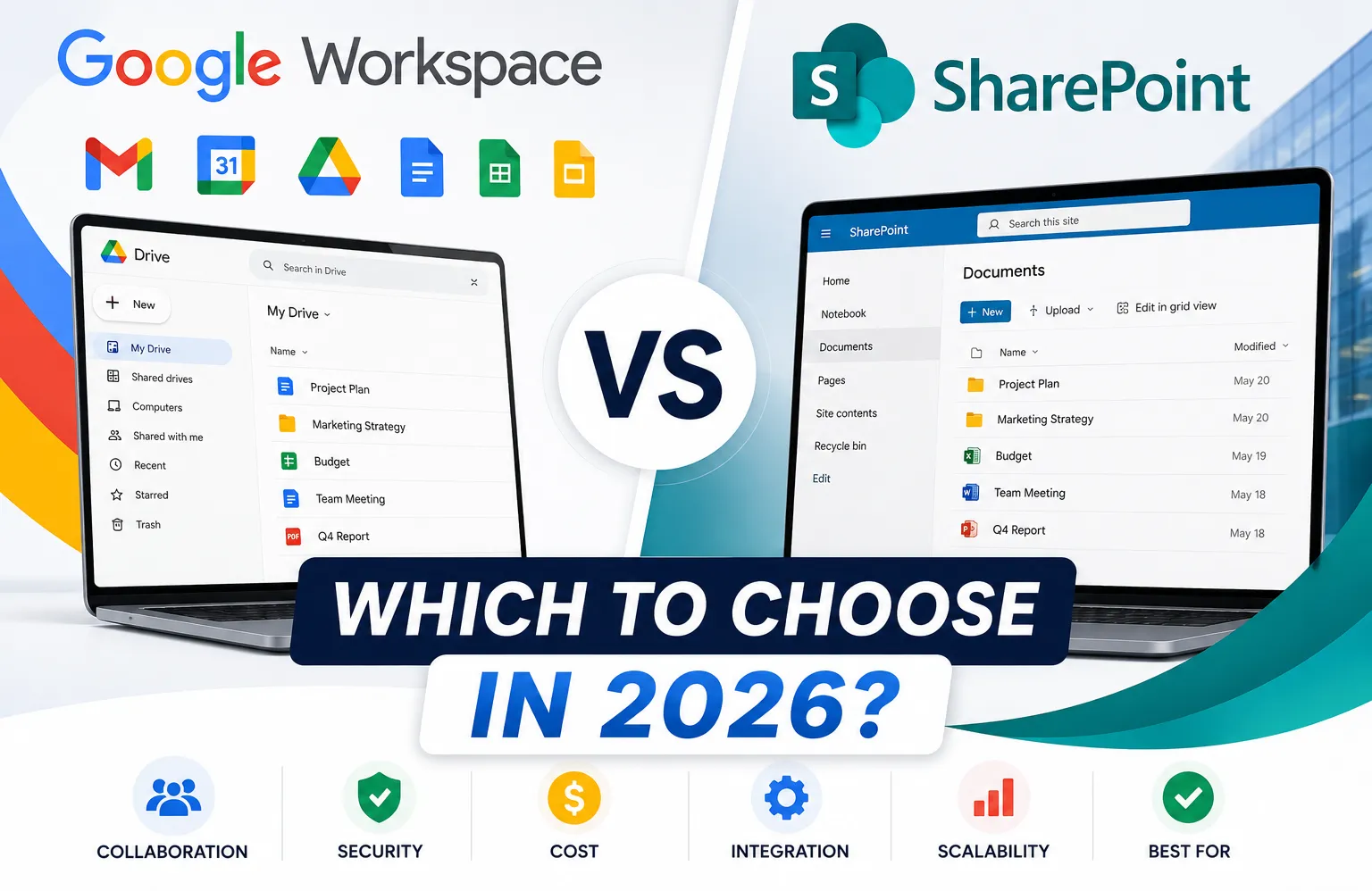
Google Workspace is Google’s cloud-first productivity suite: Gmail, Drive, Docs, Sheets, Slides, Meet, and Calendar, connected and built to keep teams moving without heavy setup. SharePoint is Microsoft’s enterprise document management and intranet platform, built inside the Microsoft 365 ecosystem for structured permissions, metadata-driven organization, and workflow automation. The simplest way to frame the difference: SharePoint is built for control, Google Workspace is built for speed. Neither is wrong; they serve different priorities.
Does Google Have a SharePoint Equivalent?
No single Google product matches SharePoint feature for feature. The closest combination is Google Drive’s shared drives for team-owned document storage, plus Google Sites for basic intranet-style pages, but together they still lack SharePoint’s granular item-level permissions, metadata columns, and deep Power Automate-style workflow automation. For a team that mainly needs shared files and simple internal pages, that combination is genuinely enough. For an organization that needs formal document governance at scale, it isn’t a full substitute.
Google Workspace vs SharePoint: Pricing
| Plan | Price (per user/month) | Storage |
|---|---|---|
| Google Workspace Business Starter | $7 | 30 GB pooled |
| Google Workspace Business Standard | $14 | 2 TB pooled |
| Google Workspace Business Plus | $22 | 5 TB pooled |
| Microsoft 365 Business Basic (includes SharePoint Online) | ~$6 | 1 TB per user |
| Microsoft 365 Business Standard | ~$12.50 | 1 TB per user |
| Microsoft 365 Business Premium | ~$22 | 1 TB per user |
| SharePoint Plan 1 (standalone) | ~$5 | Varies by plan |
On the sticker price alone, SharePoint’s entry tiers look slightly cheaper. That comparison is incomplete, though. Most organizations implementing SharePoint properly need dedicated admin time or a consultant, meaningful onboarding hours per employee, and a rollout that often runs weeks to months rather than days. Google Workspace, by contrast, typically deploys in days with a few hours of onboarding per person. When admin time, training, and deployment timeline are factored in, the total cost gap between the two often narrows significantly, and can favour Google Workspace for smaller teams without dedicated IT staff.
Google Workspace vs SharePoint: AI Tools
This is a genuinely underweighted factor in most comparisons. Gemini AI is built directly into Google Workspace, Docs, Sheets, Gmail, and Meet, at no separate charge on Business Standard and above. Microsoft Copilot, the equivalent for SharePoint and the rest of Microsoft 365, is a separate add-on costing roughly $30 per user per month on top of an existing Microsoft 365 subscription. For cost-conscious teams, that’s a meaningful ongoing difference if AI-assisted writing, summarization, and search matter to how the team works day to day.
Collaboration: Where Each Platform Shines
Google Workspace’s real-time collaborative editing is its strongest feature: multiple people editing the same Doc, Sheet, or Slide simultaneously, with no file-locking or version conflicts, and everything working instantly in any browser without setup. SharePoint’s collaboration is powerful but requires more configuration to unlock version history, metadata-based organization, and complex permission hierarchies that reward the setup effort in large, structured teams but add friction for smaller ones.
External guest access is a real point of difference too. Google Workspace generally handles client and external collaboration with less configuration out of the box; SharePoint’s external sharing is more capable once configured but requires more upfront setup.
Security and Compliance
Both platforms take security seriously, and neither is a clearly weaker choice on fundamentals. SharePoint, through Microsoft 365, offers Data Loss Prevention, Information Rights Management, Microsoft Purview for enterprise governance, and compliance coverage extending to GDPR, HIPAA, SOC 2, and FedRAMP. Google Workspace covers GDPR and HIPAA (with a signed Business Associate Agreement), SOC 2, Google Vault for archiving and eDiscovery, and context-aware access controls. For most small businesses, either platform provides a sufficient baseline. For heavily regulated industries like defence, government, or complex financial services, SharePoint’s compliance depth tends to edge ahead.
Google Sites vs SharePoint
Within this broader comparison, Google Sites specifically is worth a direct note since it’s the closest thing Google offers to SharePoint’s intranet function. Google Sites is free and simple, useful for basic internal pages or lightweight portals. It doesn’t offer SharePoint’s document library integration, structured lists, or granular page-level permissions, so it works well as a companion to Google Drive rather than a genuine SharePoint replacement for organizations needing a real structured intranet.
Why Use Google Workspace?
For teams that value fast deployment, minimal training overhead, real-time collaboration, and a lower ongoing administrative burden, Google Workspace is generally the better fit. It particularly suits startups, remote-first teams, creative agencies, and any organization without dedicated in-house IT support to manage a more complex platform.
Is Google Workspace Worth It?
For most small and mid-sized businesses, yes. The combination of fast setup, intuitive tools most people already understand from personal Gmail and Docs use, and Gemini AI included at no extra cost makes it a genuinely strong value at $7 to $22 per user per month. It’s worth it specifically when the team doesn’t need SharePoint-level document governance or is already comfortable in Google’s ecosystem. Reseller pricing can lower the entry cost further, bringing Business Starter down to around $3 per user per month on the identical product.
Is Google Workspace Good for Large Enterprises?
It can be, but with real caveats. Google Workspace lacks some of SharePoint’s deeper workflow automation and structured governance features that large, complex organizations often need. Many large enterprises do use Google Workspace successfully, sometimes alongside supplementary tools to cover specific governance gaps, but organizations with 500 or more employees and heavy compliance requirements more often lean toward SharePoint’s deeper toolkit.
What’s the Difference Between G Suite and Google Workspace?
These are the same product under two different names. G Suite was Google’s business suite’s original name before a 2020 rebrand to Google Workspace. If older content or documentation refers to “G Suite,” it’s describing the same product now called Google Workspace, not a separate or discontinued tool.
O365 vs Google Workspace
“O365,” short for the older Office 365 branding (now Microsoft 365), refers to the same Microsoft ecosystem SharePoint belongs to. The comparison is functionally identical to the Google Workspace vs SharePoint/Microsoft 365 breakdown throughout this guide: Google Workspace for speed and simplicity, Microsoft’s suite for deeper document governance and existing Office-based workflows.
Can You Use Both SharePoint and Google Workspace?
Yes, and plenty of organizations do. A common setup uses SharePoint for compliance-heavy document management and structured workflows, while Google Workspace handles everyday team collaboration, email, and meetings, connected through API integrations where needed. This isn’t a compromise so much as matching each platform to what it does best, though it does mean paying for and administering two systems rather than one.
Google Workspace Login
Accessing Google Workspace is the same familiar Google sign-in used for any Google account, just tied to a custom business domain address rather than @gmail.com. Admins manage users and settings separately through the Google Admin Console at admin.google.com, distinct from the everyday login each employee uses.
Which Should You Choose?
Choose Google Workspace if you’re a small to mid-sized team, especially remote-first or client-facing, that values fast deployment, real-time collaboration, and a lower total cost without a dedicated IT department managing the platform.
Choose SharePoint if you’re a larger organization, especially one already running Microsoft 365, with genuine compliance requirements, complex document governance needs, or established Power Automate workflows worth preserving.
Consider both if your organization has a genuine split need, formal document governance for one part of the business and fast, lightweight collaboration for the rest.
Common Mistakes to Avoid
- Comparing sticker prices alone. SharePoint’s lower entry price often doesn’t account for admin, training, and deployment time.
- Assuming Google has a direct SharePoint replacement. It doesn’t; Drive plus Sites covers some but not all of what SharePoint does.
- Ignoring the AI cost difference. Gemini comes bundled into Workspace; Copilot is a real $30/user/month add-on on the Microsoft side.
- Treating this as strictly either-or. Many organizations run both platforms for different purposes.
- Confusing G Suite, O365, and current product names. They refer to the same products under older branding, not separate or discontinued tools.
The Bottom Line
Google Workspace and SharePoint aren’t really competing to be the same thing. Google Workspace wins on speed, simplicity, real-time collaboration, and bundled AI, generally the better fit for small to mid-sized teams. SharePoint wins on document governance, granular permissions, and workflow automation depth, better suited to large, compliance-heavy organizations, particularly those already invested in Microsoft 365. Match the choice to your organization’s actual size and governance needs rather than picking based on price alone.
FAQ
Does Google have a SharePoint equivalent?
No single product matches it exactly. The closest combination is Google Drive’s shared drives plus Google Sites, though it lacks SharePoint’s granular permissions and deep workflow automation.
Is Google Workspace cheaper than SharePoint?
On sticker price, SharePoint’s entry tiers can look slightly cheaper, but once admin overhead, training, and deployment time are included, Google Workspace’s total cost is often lower for smaller teams.
Is Google Workspace good for large enterprises?
It can work well, though it lacks some of SharePoint’s deeper governance and workflow automation. Many large enterprises use Google Workspace successfully, sometimes alongside supplementary tools for specific compliance needs.
Why use Google Workspace instead of SharePoint?
For faster deployment, easier onboarding, real-time collaborative editing, and Gemini AI included at no extra cost, all of which suit small and mid-sized teams without dedicated IT support.
Is Google Workspace worth it?
For most small and mid-sized businesses, yes, particularly given the bundled AI and low setup overhead. Reseller pricing can lower the entry cost further on the identical product.
What’s the difference between G Suite and Google Workspace?
They’re the same product. G Suite was renamed Google Workspace in 2020.
Can I use SharePoint and Google Workspace together?
Yes, many organizations use SharePoint for compliance-heavy document management and Google Workspace for everyday collaboration, connected through integrations where needed.