Quick Answer
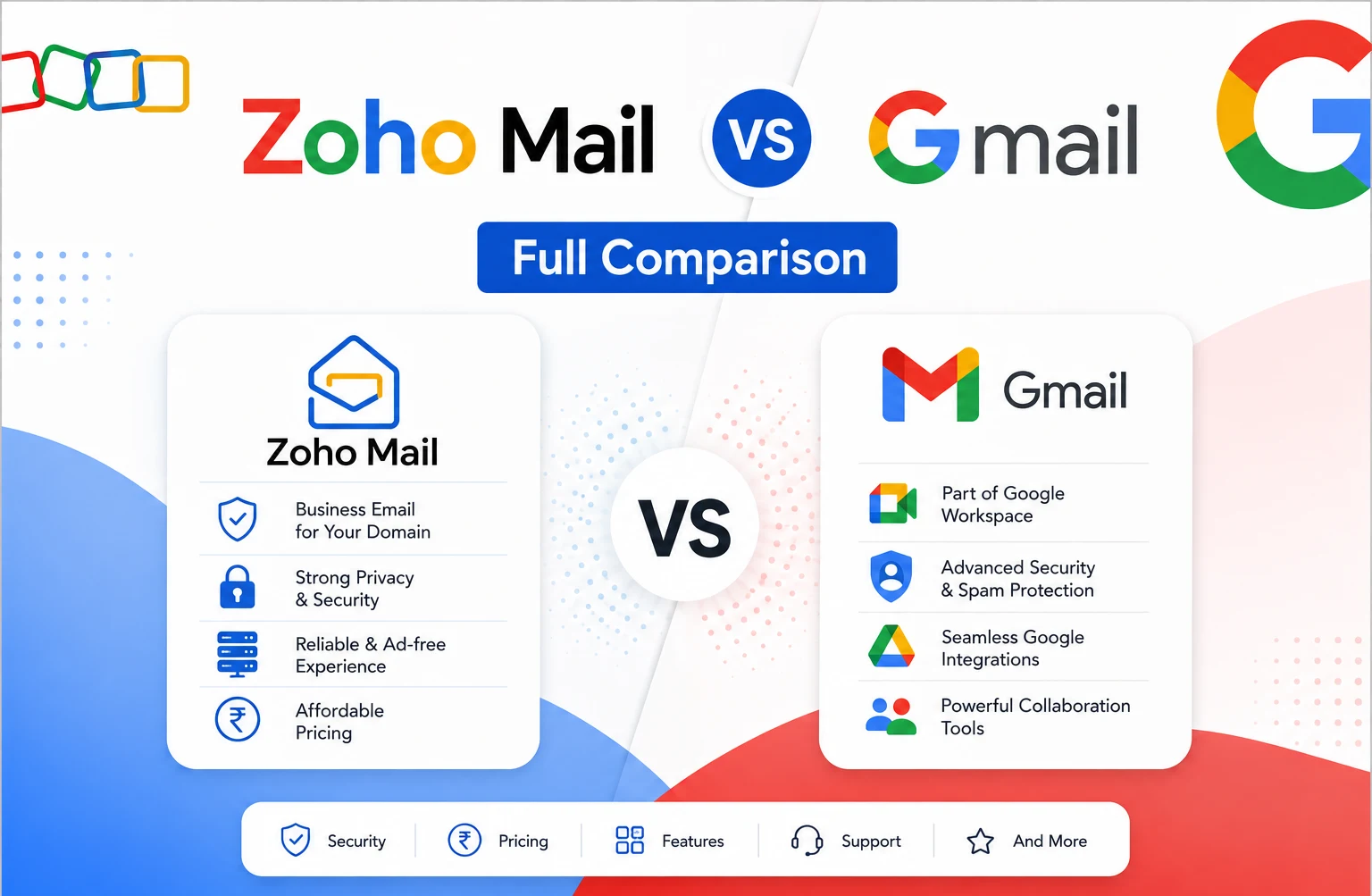
For personal use, both Zoho Mail and Gmail offer genuinely free plans. Zoho Mail’s free tier covers up to 5 users with 5 GB storage each, while Gmail’s free personal account gives 15 GB. For business email on a custom domain, Zoho Mail starts at $1 per user per month (Mail Lite) or $3 per user per month (Workplace Standard), against Gmail through Google Workspace at $7 per user per month for Business Starter. Zoho Mail wins on entry-level price and inbox-specific features like a 1 GB attachment limit and built-in email recall. Gmail wins on storage headroom, ecosystem familiarity, and third-party integration breadth.
Zoho Mail vs Gmail: Quick Comparison
| Feature | Zoho Mail | Gmail (Google Workspace) |
|---|---|---|
| Free plan | Up to 5 users, 5 GB each | Personal account, 15 GB |
| Entry paid plan | Mail Lite: $1/user/mo | Business Starter: $7/user/mo |
| Mid-tier plan | Workplace Standard: $3/user/mo | Business Standard: $14/user/mo |
| Storage (entry) | 5 GB | 30 GB pooled |
| Attachment limit | 1 GB (converted to link) | 25 MB (larger files link via Drive) |
| Sent-email recovery | Full email recall | 30-second Undo Send window only |
| Best for | Cost-conscious businesses, privacy focus | Collaboration-heavy teams, ecosystem breadth |
Zoho Mail vs Gmail for Personal Use
For an individual who just wants a free, capable inbox, both platforms deliver. Gmail’s free personal account includes 15 GB of storage shared across Gmail, Drive, and Photos, alongside a familiar interface most people have already used for years. Zoho Mail’s free plan covers up to 5 users at 5 GB each, aimed more at very small teams or families than a single individual, with a genuinely ad-free experience as part of its privacy-first positioning.
Neither free tier includes a custom domain address. For a personal @gmail.com or a free Zoho address, either works well; the meaningful differences only show up once a business, custom domain, or larger team enters the picture.
Zoho Mail vs Gmail: Pricing
Zoho Mail undercuts Gmail meaningfully at the entry level. Mail Lite starts around $1 per user per month for basic custom-domain email hosting, and Workplace Standard, which adds the wider Zoho productivity suite, runs about $3 per user per month. Gmail through Google Workspace starts at $7 per user per month for Business Starter (annual billing), which includes considerably more storage and the full collaboration suite from the start.
For a business that only needs professional email and nothing else, Zoho Mail’s lower tiers are hard to beat on price. For a business that wants email plus real-time document collaboration, video meetings, and AI tools bundled in from day one, Gmail’s higher starting price reflects a broader product, not just email.
Zoho Mail vs Gmail: Storage
Zoho Mail’s entry-level plans start at 5 GB per user and scale up to around 100 GB on higher tiers. Gmail through Google Workspace starts at 30 GB pooled per user and scales to 2 TB or more on Business Standard and above, giving Google Workspace considerably more headroom for teams handling large attachments or extensive email history.
Storage on Google Workspace is pooled across Gmail, Drive, and other services combined, so heavy Drive or Meet recording usage can eat into the same quota as email. Zoho Mail’s storage is more narrowly tied to email and its own WorkDrive allocation.
Zoho Mail vs Gmail: Inbox Features
This is where the two platforms genuinely diverge on the details, not just the big picture.
Attachments and sending
Zoho Mail allows attachments up to 1 GB, automatically converting larger files into a shareable link when composing. Gmail caps attachments at 25 MB, pushing anything larger to a Google Drive link instead, a similar outcome, but with a much lower threshold before it kicks in.
Undoing a mistake
Gmail’s Undo Send gives a short window, up to 30 seconds, to pull back a message before it’s genuinely sent. Zoho Mail offers a similar configurable Undo Send window, but adds a separate Email Recall feature that can attempt to retract a message even after that window closes, with the recipient notified of the recall.
Organizing and sharing
Gmail relies on labels, filters, and nudges to keep an inbox organized, plus Google Groups for shared team mailboxes. Zoho Mail uses folders, tags, and a Scrub feature that can bulk-archive or delete messages from up to five specific senders at once, along with granular folder sharing that lets admins assign Read, Write, or Delegate permissions to specific team members, a more precise control than Gmail’s group-based sharing model.
Zoho Mail vs Gmail vs Outlook
Adding Outlook to the comparison mostly shifts the conversation toward ecosystem rather than raw email features. Outlook, bundled into Microsoft 365, integrates tightly with Word, Excel, and Teams the same way Gmail integrates with Docs and Meet, and its business pricing sits in a similar range to Google Workspace. Zoho Mail remains the budget option of the three, while the choice between Gmail and Outlook usually comes down to which productivity ecosystem, Google’s or Microsoft’s, the rest of the organization already uses.
Zoho Mail vs Gmail: Security
Both platforms cover the essentials well: encryption in transit, two-factor authentication, spam and phishing filtering, and administrative controls for managing users. Zoho Mail adds S/MIME support, email retention, and eDiscovery on select plans, features aimed at organizations with compliance needs but without the budget for Google’s higher tiers. Gmail benefits from Google’s larger security infrastructure, with Data Loss Prevention, advanced endpoint management, and eDiscovery available on Business Plus and above. For most small businesses without heavy regulatory requirements, either platform provides a solid baseline; the deeper compliance tooling on both sides is gated behind higher-priced tiers rather than included by default.
What Do Reddit and Real Users Say?
Sentiment across forums like Reddit tends to split along the same lines as the feature comparison. Users switching to Zoho Mail from Gmail often cite cost savings and Zoho’s ad-free, privacy-focused positioning as the deciding factor, particularly for solo founders and small businesses that don’t need a full collaboration suite. Users who stick with Gmail typically cite the learning curve of switching away from a tool they and their team already know well, along with how much of their existing software stack already integrates natively with Google rather than Zoho. Neither platform draws overwhelmingly negative sentiment; the debate is mostly about fit rather than one being broadly worse than the other.
Zoho One vs Zoho Workplace vs Zoho Mail
These three Zoho product names get confused often, and they’re not interchangeable. Zoho Mail is the standalone email product, the narrowest of the three, focused purely on inbox hosting. Zoho Workplace bundles Zoho Mail with the broader productivity suite, Writer, Sheet, Show, WorkDrive, and Cliq, comparable in scope to Google Workspace. Zoho One goes further still, bundling access to Zoho’s entire business application catalog, CRM, Projects, Books, and dozens more, aimed at organizations wanting a single vendor for nearly every business function, not just email and documents.
Zoho Standard vs Professional
Within Zoho Workplace specifically, Standard and Professional are the two core paid tiers. Standard runs about $3 per user per month with 30 GB of mail storage and 100 GB of shared team WorkDrive storage. Professional runs about $6 per user per month, doubling mail storage to 100 GB per user and expanding shared WorkDrive storage significantly, along with additional retention and collaboration features. Standard suits small teams with modest storage needs; Professional fits growing teams handling more email volume and larger shared files.
Zoho Workplace Alternatives
For businesses that find neither Zoho nor Google Workspace quite right, the two most commonly considered alternatives are Microsoft 365, for organizations wanting desktop Office app access alongside email, and standalone email hosts like Fastmail or Proton Mail, for those wanting professional email without any bundled productivity suite at all. Google Workspace itself remains the most direct alternative for anyone specifically weighing Zoho against a bigger, more integrated ecosystem.
Common Mistakes to Avoid
- Comparing Zoho Mail’s cheapest plan against Gmail’s most expensive tier, or vice versa, rather than matching comparable feature sets.
- Assuming Zoho Mail and Zoho Workplace are the same product. Mail is email-only; Workplace adds the full productivity suite.
- Underestimating Gmail’s ecosystem advantage if your business already relies on tools built primarily for Google integration.
- Overlooking Zoho Mail’s 1 GB attachment limit as a meaningful advantage for businesses that regularly send large files by email.
- Assuming Reddit sentiment points clearly to one winner. Most real-world feedback comes down to fit, not a universal best choice.
The Bottom Line
Zoho Mail is the more affordable choice for straightforward business email, with genuinely useful inbox features like larger attachments and true email recall that Gmail doesn’t match at a comparable price. Gmail through Google Workspace costs more at the entry level but delivers considerably more storage, a more familiar interface, and the broadest third-party integration ecosystem available. For a business that only needs solid custom-domain email, Zoho Mail is hard to beat on value. For a business that wants email deeply integrated with documents, meetings, and AI tools from day one, Gmail’s higher price reflects a genuinely broader product.
FAQ
Is Zoho Mail better than Gmail?
It depends on the need. Zoho Mail is cheaper and offers stronger inbox-specific features like larger attachments and email recall. Gmail offers more storage, wider familiarity, and deeper third-party integration.
Is Zoho Mail really free?
Yes, Zoho Mail’s free plan covers up to 5 users with 5 GB of storage each, genuinely free with no trial expiration.
How does Zoho Mail pricing compare to Gmail?
Zoho Mail starts around $1 to $3 per user per month for business email, compared to $7 per user per month for Gmail through Google Workspace Business Starter.
Which is better for business, Zoho Mail or Gmail?
Zoho Mail suits cost-conscious businesses that mainly need email. Gmail suits teams that want email bundled tightly with document collaboration, video meetings, and AI tools.
What’s the difference between Zoho Mail, Zoho Workplace, and Zoho One?
Zoho Mail is email-only. Zoho Workplace bundles email with a broader productivity suite comparable to Google Workspace. Zoho One extends further into Zoho’s full business application catalogue.
How does Zoho Mail compare to Gmail and Outlook?
Zoho Mail is generally the cheapest of the three. The choice between Gmail and Outlook usually comes down to whether an organization is already built around Google’s or Microsoft’s ecosystem.
Does Zoho Mail support larger attachments than Gmail?
Yes, Zoho Mail supports attachments up to 1 GB, converting larger files into a shareable link, compared to Gmail’s 25 MB attachment limit.