Quick Answer
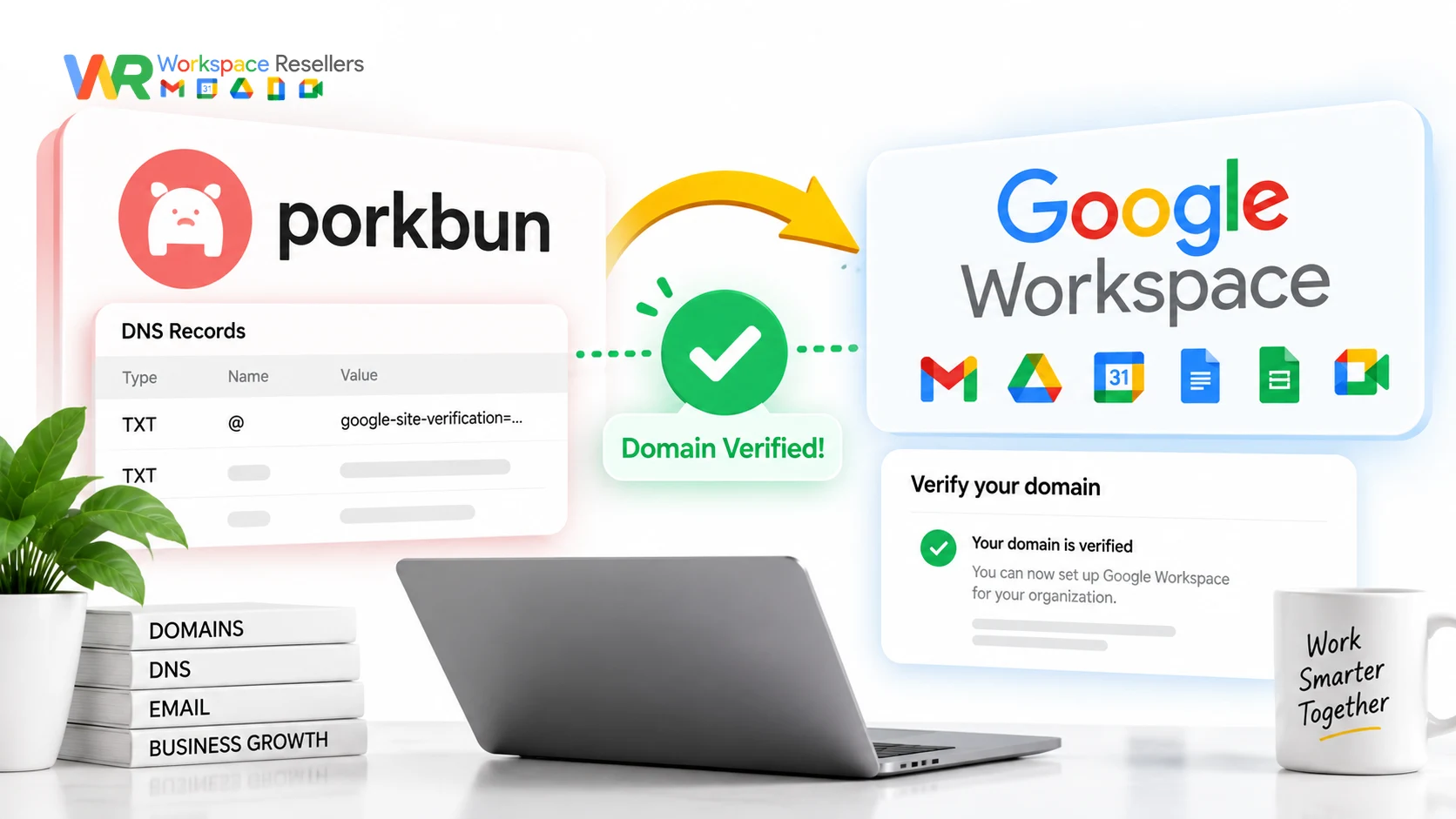
Verifying your Porkbun domain for Google Workspace means adding a TXT record Google gives you during signup, then waiting for it to propagate before confirming inside the setup wizard. Porkbun also has a one-click “Quick Setup” option that adds your MX and SPF records automatically, which handles most of the DNS work for you.
One thing worth knowing upfront: Google changed its MX record setup in 2023. If you’re setting up fresh in 2026, you want the newer single-record configuration, not the older 5-record list still floating around in a lot of outdated guides. We’ll cover both, plus DKIM, DMARC, and what to do if Google says your domain is “already in use.”
Before You Start: What You’ll Need
- A domain registered on Porkbun
- Access to your Porkbun account’s DNS management
- A Google Workspace signup already in progress (or about to start)
- About 10 minutes, plus a short wait for DNS to propagate
Step 1: Start the Google Workspace Signup
Head to Google’s Workspace signup tool and enter your business name and team size. On the next screens, you’ll enter your name and an email address; this can be your existing personal email or the new address you’re setting up on your domain.
One thing worth flagging clearly: whichever email you enter here becomes your account recovery address if you ever get locked out. Write it down somewhere safe.
If you’re using a brand-new address on your domain, you’ll be asked for a secondary backup email too. Use a personal Gmail or Outlook address for this, not another address on the same new domain.
Step 2: Choose Your Plan and Add Users
You’ll pick a Google Workspace plan (Business Starter, Standard, or Plus), enter payment details for after your 14-day trial ends, and optionally add additional users now or skip that step for later.
Worth knowing: official Google pricing runs $8.40/user/month (Business Starter, flexible billing) up to $26.40/user/month for Business Plus. If you’d rather not pay Google’s full rate, authorized resellers sell the identical product from $2.50/user/month; more on that later.
Step 3: Get Your Verification TXT Record
Once you reach the domain verification step, click Get started, then select My domain uses a different host. Google will show you a TXT record with a specific “Value”, copy this somewhere safe, you’ll need it in the next step.
Step 4: Add the TXT Record on Porkbun
Log into Porkbun, go to Domain Management, find your domain, and click Details. Under DNS Records, click the edit icon, then Add record.
Set these fields:
- Type: TXT – Text record
- Host: leave blank
- Answer/Value: paste the verification value Google gave you
Click Add, then wait a couple of minutes for it to propagate before continuing.
Step 5: Set Up Your MX and SPF Records (the Easy Way)
Porkbun has a Quick Setup shortcut specifically for this. From the same DNS records screen, click Add record, then the Quick Setup tab, then select Google Workspace. Confirm the reconfiguration prompt, and Porkbun adds your MX and SPF records automatically.
Here’s the update most guides miss: Porkbun’s Quick Setup now uses Google’s newer single MX record (SMTP.GOOGLE.COM), not the older 5-record ASPMX.L.GOOGLE.COM set. If your account was created before 2023, the old set still works fine; no need to change it. But if you’re setting up new in 2026, the single record is correct, and it’s genuinely simpler to manage.
For reference, here’s what’s current versus legacy:
| Configuration | When to Use | Records Needed |
|---|---|---|
| Single MX record (current) | New domains, 2023 onward | smtp.google.com, priority 1 |
| Legacy 5-record MX | Existing domains from before 2023 | ASPMX.L.GOOGLE.COM (priority 1), plus 4 ALT records (priority 5-10) |
If you’re not sure which one your account is on, don’t worry; Porkbun’s Quick Setup handles this correctly based on when you’re setting things up. Just don’t manually mix both configurations on the same domain; having both active at once causes exactly the kind of intermittent delivery issues that are hard to diagnose later.
Step 6: Confirm Verification in Google Workspace
Switch back to the Google Workspace setup page, check the box confirming you’ve added the record, and click Confirm. If everything propagated correctly, you’ll get a success message showing your domain is connected and Gmail is active.
Setting Up DKIM (Recommended, Not Required)
DKIM authenticates that your emails genuinely came from your domain, and it meaningfully reduces the odds of landing in spam.
- In your Google Workspace Admin console, navigate to the DKIM generation page and click Generate.
- Google gives you a TXT record with a specific name (usually
google._domainkey) and a value. - In Porkbun, add a new TXT record: paste the name into Host, and the full value into Answer/Value.
- Wait a minute or two for propagation, then go back to Google Workspace and click Start Authentication.
- The status should change to “Authenticating email with DKIM.”
Setting Up DMARC (Also Recommended)
DMARC is simpler since it’s standardized rather than domain-specific. In Porkbun, add another TXT record:
- Host:
_dmarc - Answer/Value:
v=DMARC1; p=quarantine;
That’s a reasonable, simple starting policy. If you want more granular control (reporting addresses, stricter enforcement), Google’s DMARC guide or Porkbun’s own DMARC record generator can help fine-tune it.
What If Google Says Your Domain Is “Already in Use”?
This happens more often than you’d expect, usually when a domain was previously connected to a Google Workspace trial, a different Google account, or a legacy Google service. It’s not a dead end. Google provides a specific ownership verification form for exactly this situation; submitting it lets their system confirm you’re the legitimate current owner so setup can continue.
Domain Verification vs. Search Console Verification: Don’t Confuse These
This trips people up because both processes use a TXT record and both live in similar-sounding Google interfaces. They are not the same thing.
- Google Workspace domain verification proves you own the domain so Google can activate Gmail and the rest of Workspace on it.
- Google Search Console verification proves ownership for a completely different purpose, tracking your website’s search performance and indexing.
You can have one without the other, and completing one doesn’t complete the other. If you’re trying to set up email and you’re stuck looking at Search Console instructions, you’re in the wrong place.
Verifying a Domain Managed Through Squarespace Instead
If your domain is managed through Squarespace rather than Porkbun (common since Squarespace Domains LLC took over Google Domains in 2023), the verification concept is identical, but you’ll add the TXT record inside Squarespace’s domain DNS settings instead of Porkbun’s. The record itself, and what it needs to say, doesn’t change based on which registrar you’re using.
Common Mistakes During Domain Verification
Adding a Host value to the TXT verification record. Google’s verification TXT record typically goes at the root of your domain; leave the Host field blank rather than guessing at a value.
Mixing legacy and current MX records. If you manually add the new single MX record alongside an existing 5-record legacy setup instead of replacing it, you’ll get six MX records total, which causes unpredictable delivery problems.
Confirming too early. DNS propagation isn’t instant. If you click Confirm in Google Workspace within seconds of adding your TXT record, it may still fail even though the record is correct; it just needs another minute or two.
Skipping DKIM and DMARC entirely. They’re optional for getting Gmail working, but skipping them noticeably increases your odds of landing in recipients’ spam folders.
When to Get Help Instead of Doing This Yourself
Honestly, DNS setup for Google Workspace is one of the more approachable admin tasks covered on this site, most people can follow the steps above without issue. But if you’re not confident editing DNS records, or you’re setting up multiple domains and want it done right the first time without any trial-and-error, that’s a completely reasonable thing to hand off.
Google Workspace Resellers include DNS and domain setup as part of onboarding, so a real person walks through verification, MX records, and DKIM/DMARC with you rather than leaving you to troubleshoot alone.
Google Workspace Pricing Comparison
Since you’re setting up fresh, it’s worth checking whether you’re paying the right price:
| Plan | Google Direct (flexible) | Reseller Price |
|---|---|---|
| Business Starter, below 300 users | $8.40/user/mo | $3/user/mo |
| Business Starter, 300+ users | $8.40/user/mo | $2.50/user/mo |
| Business Standard | $16.80/user/mo | $13/user/mo |
| Business Plus | $26.40/user/mo | $20/user/mo |
Same Gmail, same Drive, same Admin console, at a meaningfully lower price. See the full Google Workspace pricing breakdown for every tier.
Honest Limitation
This guide reflects Porkbun’s current setup flow and Google’s current MX record standards as of 2026, but registrar interfaces change over time, and your specific domain’s history (previous services, existing DNS records) can introduce wrinkles this guide can’t fully predict. If your setup looks meaningfully different from what’s described here, or if you’re getting an error not covered above, Porkbun’s own support team and Google’s Workspace help documentation are the most current fallback resources.
FAQs
How do I verify my domain for Google Workspace on Porkbun?
Add the TXT record Google provides during signup to your Porkbun DNS settings (Host blank, Value pasted from Google), wait a couple of minutes for propagation, then confirm inside the Google Workspace setup wizard.
What MX records should I use for Google Workspace on Porkbun in 2026?
For a new domain, use the single MX record: smtp.google.com at priority 1. This replaced the older 5-record ASPMX.L.GOOGLE.COM configuration in 2023. Existing domains using the old 5-record set don’t need to change anything if email is already working.
Does Porkbun have an automatic setup for Google Workspace?
Yes. Porkbun’s Quick Setup option, found under Add Record, automatically configures your MX and SPF records for Google Workspace with one click. You still need to manually add the verification TXT record and any DKIM/DMARC records.
What if Google says my domain is already in use?
This usually means the domain was previously connected to another Google account or trial. Google provides a dedicated domain ownership verification form for this situation; submit it to confirm your ownership and continue setup.
Is domain verification for Google Workspace the same as Google Search Console verification?
No. They’re separate processes for separate products, even though both can use a TXT record. Workspace verification activates Gmail and Workspace apps on your domain; Search Console verification tracks your website’s search performance.
Do I need DKIM and DMARC for Google Workspace to work?
No, Gmail will function without them. But skipping them noticeably increases the chance of your outgoing email landing in spam folders, so they’re strongly recommended even though they’re optional.
Conclusion
Verifying a Porkbun domain for Google Workspace comes down to one TXT record, Porkbun’s Quick Setup handling MX and SPF automatically, and a short propagation wait before Google confirms everything. The detail most outdated guides get wrong is the MX record itself: new domains in 2026 should use the single smtp.google.com record, not the old 5-record legacy list.
Add DKIM and DMARC while you’re at it, they take a few extra minutes and meaningfully improve your deliverability. And if any part of this feels like more trouble than it’s worth, an authorized Google Workspace reseller can handle the whole setup for you, at a lower price than Google charges directly for the same product.