Quick Answer
The Associate Google Workspace Administrator certification is Google’s official credential for IT professionals who manage a Google Workspace environment day to day. It’s a 2-hour, 50 to 60 question multiple-choice exam, costs $125 (plus tax where applicable), has no prerequisites, and stays valid for 3 years. Google recommends about 6 months of hands-on Super Admin experience before sitting the exam, and most candidates prepare using Google’s free Skills learning path rather than paid courses.
If you’ve searched for the associate Google Workspace administrator certification, you’re probably weighing whether it’s worth the $125 exam fee and the study time, either for your own career or because someone on your team needs to manage your company’s Google Workspace account properly. This guide covers the real cost, the exact exam format, what the six exam domains actually test, how people prepare for free, and when getting certified in-house is the right call versus having an authorized reseller handle Workspace administration for you.
What Is the Associate Google Workspace Administrator Certification?
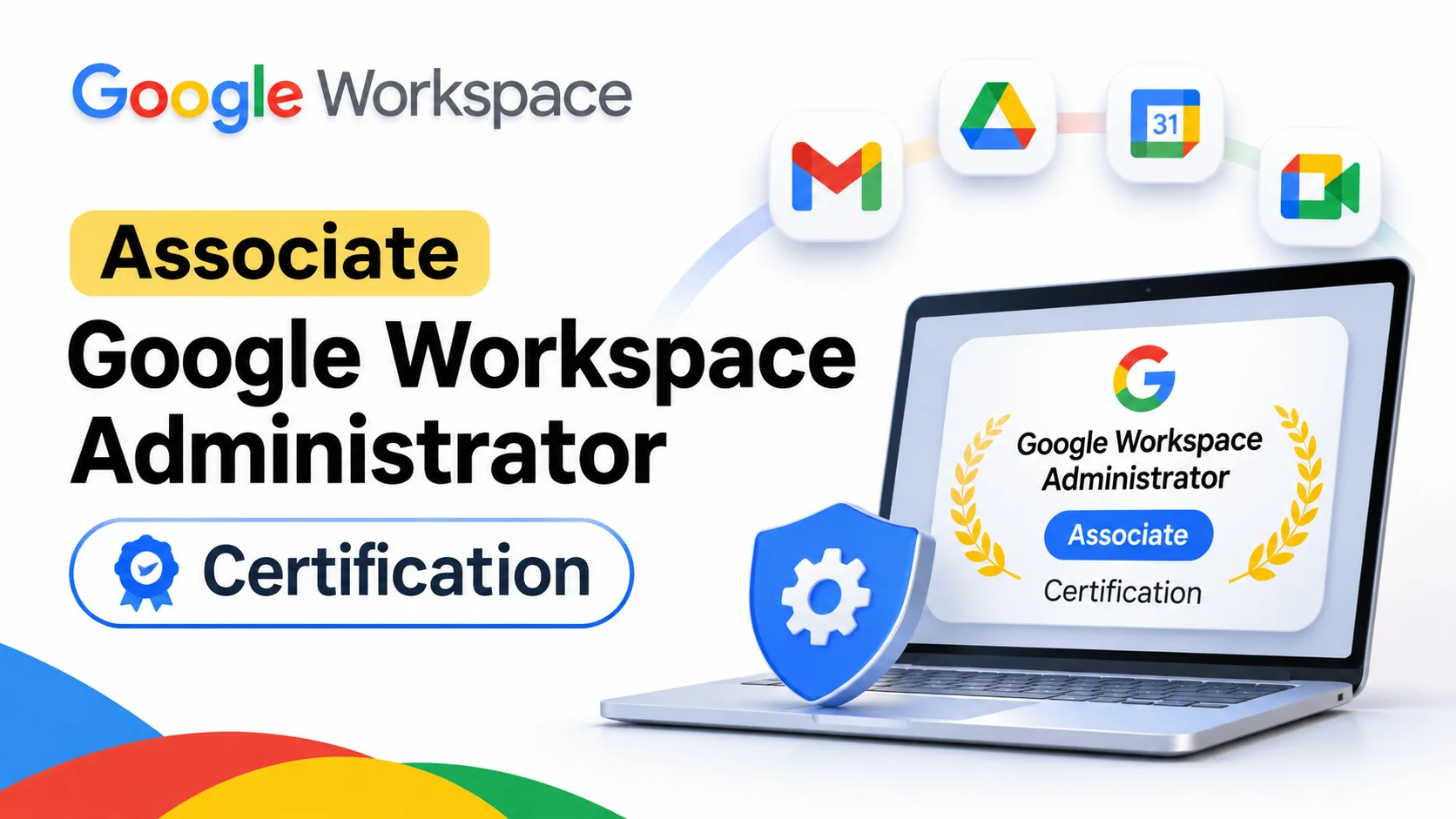
The associate Google Workspace administrator certification is an official Google Cloud credential that validates the skills needed to run the daily administration of a Google Workspace environment. It’s aimed at the person actually inside the Google Workspace Admin Console every day, not at executives or end users.
Google’s own certification page lists the related job roles as: IT administrator, systems administrator, help desk personnel, technical support engineer, and collaboration engineer. In practice, this is the credential someone gets after they’ve already been managing Google Workspace apps and user accounts for a while and want a formal, resume-ready way to prove it.
The certification sits at the “Associate” level, which Google positions as intermediate: you need working familiarity with the Admin Console, but you don’t need years of enterprise IT architecture experience the way Google’s Professional-level certifications expect.
Associate Google Workspace Administrator Certification Cost and Exam Format
The exam itself is straightforward to understand, even if the content is broad. Here’s the official format, taken directly from Google’s certification page:
| Detail | Specification |
|---|---|
| Registration fee | $125 (plus tax where applicable) |
| Length | 2 hours |
| Format | 50 to 60 multiple-choice questions |
| Languages | English, Japanese |
| Delivery | Online-proctored (remote) or onsite at a testing center |
| Validity period | 3 years |
| Prerequisites | None |
| Recommended experience | About 6 months as a Google Workspace Super Admin |
A few things are worth calling out that people searching for the associate Google Workspace administrator certification cost often get wrong. The $125 fee is the registration fee only; it doesn’t include any training, and it doesn’t include a retake if you fail. There’s no official practice exam included in the price either, just a short set of sample questions meant to show the question style rather than predict your score.
There’s no free version of the actual certification itself. When people search for “google workspace administrator certification free,” what they usually mean, correctly, is that the training to prepare for it is free. The $125 exam fee is unavoidable if you want the official credential.
Who Should Pursue This Certification
Google’s own guidance recommends candidates have around 6 months of hands-on Google Workspace Super Admin experience, ideally with Business Plus features and at least some exposure to Enterprise edition capabilities, before attempting the exam.
That makes this certification a reasonable fit for:
- IT administrators and systems administrators already running a company’s Google Workspace account
- Help desk and technical support staff who handle day-to-day user and device issues inside the Admin Console
- Collaboration engineers responsible for rolling out and configuring Google Workspace apps across an organization
- IT consultants who want a credential to show prospective clients they can manage Workspace environments competently
It’s a weaker fit for someone who has never had Super Admin access to a live environment. The exam tests practical, scenario-based judgment, not just terminology, so studying the exam guide alone without ever touching an Admin Console tends to leave real gaps.
What the Exam Covers
The exam guide breaks the content into six domains. Google states the exam assesses your ability to:
- Manage user accounts and objects – creating, suspending, and deleting users; organizational units; groups
- Manage core Workspace services – configuring Gmail, Drive, Calendar, Meet, Chat, and Docs settings at the domain and OU level
- Support data governance and compliance – data loss prevention (DLP) rules, retention, and Google Vault
- Manage security policies and access controls – password policies, two-step verification, and the security investigation tool
- Manage endpoints – mobile device management and endpoint security settings
- Troubleshoot common issues – diagnosing Gmail, Calendar, and Drive problems, and reading audit logs
Each domain maps closely to a real area of the Google Workspace Admin Console, which is exactly why hands-on time matters more than memorizing the exam guide. A candidate who has actually set up DLP rules or walked through the security investigation tool will recognize scenario-based questions far faster than someone who has only read about them.
How to Prepare: Free and Paid Training Options
Most candidates search for “associate google workspace administrator training” or “associate google workspace administrator certification online” expecting to find a paid bootcamp. The reality is that Google’s own Skills platform offers a free, self-paced learning path built specifically for this certification, made up of five courses:
| Course | What it covers | Length |
|---|---|---|
| Google Workspace User and Resource Management | Organizational units, user and resource configuration | 4 hours 30 minutes |
| Google Workspace Core Services | Gmail, Calendar, Drive, Meet, Chat, Docs configuration | 9 hours 15 minutes |
| Google Workspace Data Governance | DLP rules and Google Vault | 2 hours 45 minutes |
| Google Workspace Security | Password policies, 2-step verification, security investigation tool | 6 hours 30 minutes |
| Google Workspace Troubleshooting | Diagnosing Gmail, Calendar, and Drive issues; audit logs | 3 hours 45 minutes |
That’s roughly 27 hours of structured, free content directly from Google, plus hands-on labs and skill badges along the way. Third-party platforms like Pluralsight and Coursera also sell their own prep courses covering the same material, which can help if you prefer a different teaching style, but they aren’t required to pass.
Before scheduling anything, it’s worth reviewing the official exam guide in full and working through Google’s sample questions, since both are designed to show exactly what the real exam rewards: applied Admin Console judgment, not rote memorization.
What People Say About the Exam
Searches for “associate google workspace administrator certification reddit” usually come from people trying to gauge difficulty before committing $125 and a study block to the exam. The general pattern in that kind of discussion tends to hold up against the official materials: people with genuine day-to-day Admin Console experience, even if it’s just a few months at a small company, describe the exam as manageable once they’ve reviewed the exam guide and brushed up on Vault and DLP specifically, since those two areas get less daily attention than basic user management. People who try to pass purely from documentation, without ever having Super Admin access to a real or test environment, more consistently describe it as harder than expected, particularly on the troubleshooting and security investigation tool questions.
The practical takeaway: if you don’t currently have access to a live Workspace environment to practice in, Google’s free courses include hands-on labs specifically to close that gap before exam day.
Renewal: How Long Does the Certification Last?
The certification is valid for 3 years from the date you pass. Renewal doesn’t require retaking the full exam. Instead, Google Skills tracks eligible certifications once you link your Certification Manager (CM Connect) and Google Skills accounts using the same email address. From there, designated renewal courses or skill badges appear on your Google Skills dashboard, and completing them within the final year before your certification’s expiration date keeps it active for another year under the renewal path.
Common Mistakes When Preparing for the Exam
- Skipping hands-on practice in favor of reading alone. The exam is scenario-based; reading the exam guide without ever opening an Admin Console tends to leave real gaps, especially in security and troubleshooting.
- Underweighting Data Governance and Security. These sections cover tools (Vault, DLP, the security investigation tool) that many admins touch far less often than basic user management, which makes them easy to under-prepare for.
- Assuming “no prerequisites” means no real experience is needed. Google states there are no formal prerequisites, but it still recommends about 6 months of Super Admin experience, and the exam reflects that expectation.
- Confusing this with the Professional Google Workspace Administrator certification. The Associate exam tests day-to-day operational skills; the Professional-level credential goes further into enterprise architecture and deployment planning.
- Not reviewing the exam guide before registering. The exam guide spells out exactly what’s in scope; skipping it means studying blind.
Do You Need This Certification to Run Google Workspace for Your Business?
No. The certification exists for IT professionals who want a credential proving their admin skills, not as a requirement to use Google Workspace. A business can run Google Workspace perfectly well without any staff member holding this certification, as long as the account is set up correctly and someone capable is handling the ongoing administration.
That’s exactly where most small and mid-size businesses land. Rather than sending an employee through roughly 27 hours of training and a $125 exam just to manage Google Workspace Business Starter, Standard, or Plus settings correctly, many companies work with an authorized Google Workspace reseller instead. A reputable reseller handles account setup, custom DNS configuration, and full Admin Console handover, often with live support included, for a published per-user rate with no long-term contract. For a growing team, that frequently works out cheaper and faster than training an in-house admin from scratch, while the business still retains full ownership and control of its own Admin Console. If you’re comparing providers, our guide to Google Workspace resellers and alternatives breaks down how to evaluate one.
If your business is already migrating from another provider, look for a reseller whose migration support covers that transition too, so the Admin Console handover happens alongside the move rather than as a separate project afterward.
Associate vs Professional Google Workspace Administrator Certification
Google also offers a Professional Google Workspace Administrator certification, and it’s easy to confuse the two when searching. The Associate certification, covered throughout this guide, focuses on daily operational administration: users, core services, basic security, and troubleshooting. The Professional-level certification goes further into enterprise-scale deployment, migration planning, and advanced security and compliance architecture, and it generally expects more extensive hands-on experience than the Associate exam does. Most IT administrators managing a single company’s Workspace environment only need the Associate certification; the Professional track is aimed more at consultants and architects designing Workspace deployments across multiple organizations.
Common Questions About Managing Google Workspace Without Certification
Even without pursuing certification, every business running Google Workspace still needs someone handling basic Google Workspace security settings correctly, whether that’s an employee, a consultant, or a reseller’s support team. Getting this wrong at setup, not configuring DNS authentication properly or leaving default security settings in place, causes more real-world problems for small businesses than not having a certified admin on staff.
Conclusion
The associate Google Workspace administrator certification is a legitimate, well-structured credential: a $125, 2-hour, 50 to 60 question exam with a 3-year validity period and no hard prerequisites, backed by about 27 hours of free training directly from Google. It’s genuinely useful for IT professionals who want to prove their admin skills on a resume. But it’s worth separating the career case from the business case. If you’re running a company and just need Google Workspace set up and administered correctly, you don’t need to put anyone through that training path first; an authorized Google Workspace reseller can set up the account and hand over full Admin Console ownership so your team gets a properly managed Workspace environment without anyone needing to pass an exam first.
FAQs
How much does the associate Google Workspace administrator exam cost?
The exam fee is $125, plus tax where applicable. This covers one exam attempt only and doesn’t include training or a retake.
Is there a free way to get the associate Google Workspace administrator certification?
The certification itself always requires the $125 exam fee. What’s free is the training: Google Skills offers five self-paced courses, totaling about 27 hours, that cover everything on the exam guide at no cost.
How many questions are on the exam, and how long do I have?
The exam has 50 to 60 multiple-choice questions and a 2-hour time limit, available in English and Japanese.
Do I need any prior certifications to take this exam?
No. There are no formal prerequisites. Google does recommend roughly 6 months of hands-on experience as a Google Workspace Super Admin before attempting the exam, though.
How long does the certification stay valid?
3 years. Renewal happens through Google Skills by completing designated courses or skill badges within the final year before expiration, rather than retaking the full exam.
Do I need this certification to manage Google Workspace for my own company?
No. The certification is a professional credential for IT staff, not a requirement to use or administer Google Workspace. Many small and mid-size businesses instead have an authorized Google Workspace reseller handle setup and ongoing administration, with full Admin Console ownership still going to the business.
What’s the difference between the Associate and Professional Google Workspace Administrator certifications?
The Associate certification covers day-to-day administration: users, core services, basic security, and troubleshooting. The Professional certification covers enterprise-scale deployment, migration planning, and advanced security architecture, and expects more extensive experience.
Can I take the exam online, or do I have to go to a testing center?
Both options are available. You can take an online-proctored exam remotely, or schedule an onsite-proctored exam at a nearby testing center.